


Introduction
Choosing the right laptop for engineering school is one of the most critical tech decisions you will make as a college student. Unlike general coursework, engineering disciplines require running demanding software applications—ranging from 3D Computer-Aided Design (CAD) and finite element analysis (FEA) to heavy code compilation and complex mathematical modeling.
Selecting the best laptop for engineering students requires balancing processing power, dedicated graphics capability, system memory, battery mobility, and long-term durability. A underpowered laptop can lead to sluggish render times, system crashes during simulations, and unnecessary frustration during long study sessions.
This complete buying guide breaks down all the necessary hardware specifications, compares options across major engineering branches, highlights common purchasing mistakes, and helps you choose the best laptop for engineering students tailored to your specific academic requirements and budget.
What Is the Best Laptop for Engineering Students?
The ideal machine for an engineering degree is essentially a portable workstation capable of handling sustained multi-threaded CPU workloads and graphical rendering. While general college students can get by with basic Chromebooks or entry-level ultrabooks, engineering software requires specialized specs to run smoothly.
When evaluating potential options, the best laptop for engineering students should satisfy four core criteria:
- Sustained Performance: Capable of running heavy engineering packages (such as MATLAB, SolidWorks, AutoCAD, and ANSYS) without thermal throttling.
- Reliable Multitasking: Sufficient RAM to run browser windows, PDF textbooks, coding IDEs, and simulation tools simultaneously.
- Portability & Battery Life: Slim enough to carry between lectures, labs, and libraries while lasting through an active school day.
- Platform Compatibility: Operating system compatibility with your university department’s required software stack.
Recommended Specifications at a Glance
To make your search easier, here is a breakdown of baseline versus optimal hardware specifications needed for engineering coursework:
| Hardware Component | Minimum Entry Requirement | Recommended Standard | Heavy Workload / CAD Standard |
| Processor (CPU) | Intel Core i5 (12th Gen+) / AMD Ryzen 5 (5000+) | Intel Core i7 (13th/14th Gen) / AMD Ryzen 7 | Intel Core i9 / AMD Ryzen 9 / Apple M3 Pro |
| System Memory (RAM) | 16GB DDR4 / DDR5 | 16GB – 32GB DDR5 | 32GB DDR5 |
| Storage (SSD) | 512GB PCIe NVMe M.2 SSD | 1TB PCIe NVMe M.2 SSD | 1TB – 2TB PCIe NVMe M.2 SSD |
| Graphics (GPU) | Integrated Graphics (Intel Iris Xe / AMD Radeon) | Dedicated GPU (NVIDIA RTX 3050 / 4050) | Dedicated GPU (NVIDIA RTX 4060 / 4070) |
| Display | 14″–15.6″ Full HD (1920×1080) IPS | 14″–16″ QHD (2560×1600) IPS | 15.6″–16″ QHD/4K 120Hz IPS/OLED |
| Battery Life | 5–6 Hours | 7–9 Hours | 8–10+ Hours (or Apple Silicon 15+ Hours) |
Image Specs & Placement:

- Placement: After “Recommended specifications at a glance”
- Dimensions: 1200 × 675 px (16:9)
- Filename: engineering-student-laptop-specifications.jpg
- Alt Text: Laptop specifications for engineering students
- AI Prompt: Create a professional educational technology image showing a modern laptop surrounded by visual representations of key specifications including processor, 16GB RAM, 512GB SSD, integrated and dedicated GPU, Full HD display, battery, and lightweight design. Clean engineering student workspace, realistic photography, premium tech blog aesthetic, no brand logos, no excessive text.
Key Hardware Specifications Explained
1. Choose the Processor Based on Your Engineering Work
The Central Processing Unit (CPU) is the brain of your laptop and determines how quickly your system processes computations, compiles code, and executes simulations.

- Intel Core i5 / i7 / i9: Intel processors featuring performance and efficiency cores excel at single-threaded execution and heavy software computation. For additional architectural details, explore Intel Processor Architectures.
- AMD Ryzen 5 / 7 / 9: AMD chips offer exceptional multi-threaded performance, excellent power efficiency, and long battery endurance. You can review performance metrics on AMD Ryzen Mobile Processors.
- Apple Silicon (M1/M2/M3 Series): Apple’s ARM-based architecture provides class-leading battery life and raw processing power. However, students must verify that their engineering department supports macOS, as several CAD tools only run natively on Windows.
When picking the best laptop for engineering students, prioritize high clock speeds and multi-core architectures to ensure smooth performance across multi-year degree programs.
Image Specs & Placement:
- Placement: After “Choose the processor based on your engineering work”
- Dimensions: 1000 × 667 px (3:2)
- Filename: laptop-processor-engineering-students.jpg
- Alt Text: Laptop processor for engineering students
- AI Prompt: Create a realistic close-up technology image of a modern laptop being used by an engineering student for programming, CAD design, and technical software. Subtle visual focus on laptop processor performance and multitasking, modern engineering college environment, professional lighting, premium educational technology photography, no visible brand logos.
2. How Much RAM Does an Engineering Student Need?
Random Access Memory (RAM) allows your laptop to hold active project files and applications in working memory. Running out of RAM causes the computer to swap data to storage, drastically slowing performance.

- 8GB RAM: Insufficient for modern engineering applications. Avoid 8GB laptops unless memory is user-upgradable.
- 16GB RAM: The absolute golden standard and minimum requirement for the best laptop for engineering students. It handles simultaneous web browsing, IDEs, 3D modeling, and office applications comfortably.
- 32GB RAM: Strongly recommended for mechanical, aerospace, civil, and structural engineering disciplines dealing with heavy assemblies, finite element analysis, and computational fluid dynamics (CFD).
If you are exploring options for broader academic coursework, check our comprehensive guide on the best laptop for college students.
Image Specs & Placement:
- Placement: After “How much RAM does an engineering student need?”
- Dimensions: 1000 × 667 px (3:2)
- Filename: 16gb-ram-laptop-engineering-students.jpg
- Alt Text: 16GB RAM laptop for engineering students
- AI Prompt: Create a realistic technology blog image showing an engineering student multitasking on a modern laptop with programming code, browser tabs, engineering software, and documents visible on screen. The concept should visually communicate 16GB RAM and smooth multitasking without relying on large text. Clean desk, modern student environment, professional photography, no brand logos.
3. Storage: Why NVMe Solid-State Drives (SSD) Are Essential
Mechanical hard drives (HDDs) are outdated for primary OS drives due to slow boot times and transfer rates. Modern engineering software demands high-speed Solid-State Storage (SSD).
- PCIe NVMe SSDs: Ensure lightning-fast system boots, quick program launching, and rapid file transfers.
- 512GB Capacity: Minimum acceptable capacity. Engineering installation packages (e.g., MATLAB, ANSYS, Visual Studio) can easily exceed 20GB each.
- 1TB Capacity: Recommended standard for long-term usage, allowing ample space for large datasets, project archives, virtual machines, and media files.
Read our complete SSD vs HDD storage comparison guide to understand how drive throughput impacts everyday application stability.
4. Do Engineering Students Need a Dedicated Graphics Card?
Whether you require a dedicated Graphics Processing Unit (GPU) depends heavily on your specific branch of study:
- Integrated Graphics (Intel Iris Xe / AMD Radeon): Suitable for computer science, software engineering, and general coursework where 3D rendering is not required.
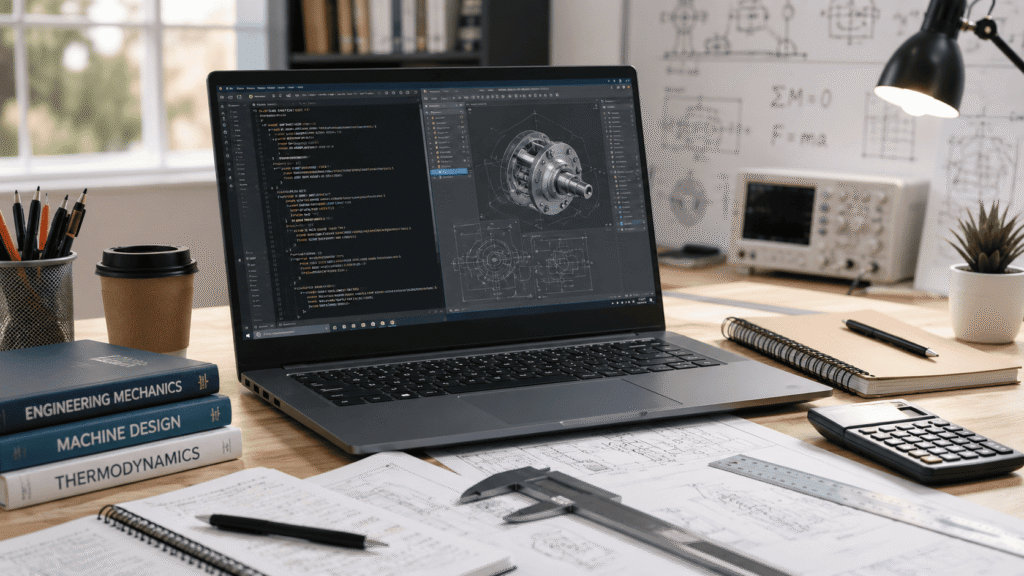
- Dedicated GPU (NVIDIA GeForce RTX 3050/4050/4060): Essential for mechanical, civil, electrical, and aerospace engineering majors. Dedicated VRAM accelerates real-time viewport rendering, complex assembly rotation, and GPU-assisted simulations.
Before purchasing, verify requirements on official application documentation, such as the official Autodesk System Requirements and the SolidWorks System Requirements guidelines.
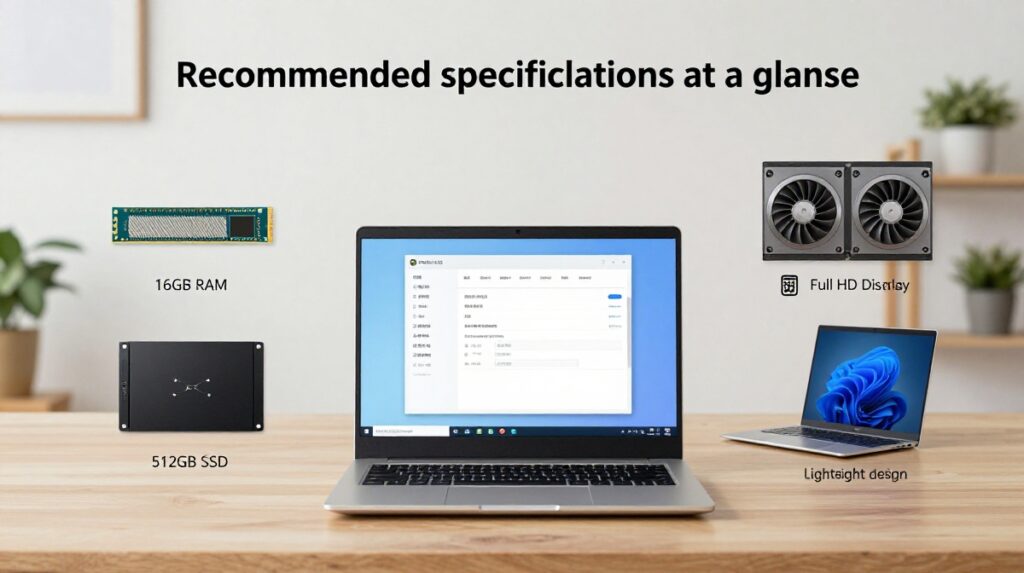
Image Specs & Placement:
- Placement: After “Do engineering students need a dedicated graphics card?”
- Dimensions: 1200 × 675 px (16:9)
- Filename: dedicated-gpu-engineering-laptop.jpg
- Alt Text: Dedicated GPU for engineering laptop
- AI Prompt: Create a realistic premium technology image comparing laptop graphics usage for engineering applications, showing a laptop displaying a detailed 3D CAD model and engineering visualization. Include subtle visual elements representing GPU performance and 3D modelling. Modern engineering workspace, professional lighting, realistic photography, no brand logos, no excessive text.
5. Display Quality, Size, and Ergonomics
Engineering students spend long hours analyzing code, viewing technical schematics, and drafting models. Display quality directly impacts visual comfort:
- Screen Size: A 14-inch to 15.6-inch screen provides the ideal balance between screen real estate and backpack portability. 17-inch laptops are often too heavy for daily commute.
- Resolution: Full HD (1920×1080) is the minimum standard; QHD (2560×1600) offers sharper text rendering and expanded workspace.
- Panel Type: IPS or OLED panels offer superior contrast, color accuracy, and wide viewing angles.
6. Battery Life and Portability Matter More Than You Think
Engineering laptops with powerful CPUs and discrete GPUs consume substantial power. However, finding access to power outlets in packed lecture halls is not always guaranteed.
- Look for laptops offering at least 7 to 8 hours of battery life during standard productivity tasks.
- Aim for a chassis weight under 2.2 kg (4.8 lbs) to maintain daily portability across campus.
Evaluating energy efficiency ensures that the best laptop for engineering students maintains productivity both inside and outside the classroom.

Image Specs & Placement:
- Placement: After “Battery life and portability matter more than you think”
- Dimensions: 1000 × 667 px (3:2)
- Filename: portable-laptop-engineering-students.jpg
- Alt Text: Portable laptop for engineering students
- AI Prompt: Create a realistic lifestyle technology photograph of an engineering student carrying a slim modern laptop across a university campus, with a backpack, engineering books, and college buildings in the background. The laptop should look lightweight and portable. Natural daylight, professional student lifestyle photography, premium technology blog aesthetic, no visible brand logos.
Tailored Laptop Recommendations by Engineering Major
Different branches of engineering place unique demands on hardware. Here is a quick breakdown to help match specs to your major:
Computer Science & Software Engineering
- Primary Focus: Code compilation, running virtual machines, web development, containerization (Docker), and algorithm design.
- Key Specs: Strong multi-core CPU (Intel i7 / AMD Ryzen 7 / Apple M3), 16GB–32GB RAM, integrated or entry-level GPU.
- Resource: Explore our dedicated round-up on the best laptops for coding and programming.
Mechanical, Aerospace & Civil Engineering
- Primary Focus: 3D CAD modeling, structural stress analysis, fluid dynamics, and rendering (SolidWorks, AutoCAD, Creo, ANSYS).
- Key Specs: High single-core CPU speed, 16GB–32GB RAM, dedicated NVIDIA GeForce RTX graphics card (RTX 4050/4060 or workstation Quadro/Ada).
Electrical & Electronics Engineering
- Primary Focus: Circuit simulation, signal processing, embedded systems programming, and mathematical modeling (MATLAB, LabVIEW, SPICE).
- Key Specs: Intel i7 or Ryzen 7 CPU, 16GB RAM, 1TB SSD. You can inspect computational benchmarks directly on MathWorks MATLAB Requirements.
Chemical & Biomedical Engineering
- Primary Focus: Process simulation, bio-data processing, statistical calculations, and chemical modeling tools.
- Key Specs: Intel i5/i7 or Ryzen 5/7 CPU, 16GB RAM, 512GB/1TB SSD, integrated or mid-range graphics.
Common Mistakes Students Make When Buying a Laptop
Avoid these common pitfalls when shopping for your engineering computer:

- Prioritizing Thin Aesthetics Over Cooling Capabilities: Ultra-thin laptops often suffer thermal throttling under heavy CPU/GPU loads, leading to reduced processing speeds.
- Buying a MacBook Without Checking Software Compatibility: While MacBooks offer great build quality and battery life, essential tools like SolidWorks and certain electrical simulation suites require Windows.
- Settling for 8GB Non-Upgradable Memory: Modern engineering tools eat up RAM quickly. Buying a fixed 8GB configuration severely limits longevity.
- Ignoring Port Selection: Ensure your laptop includes USB-A, HDMI, and USB-C/Thunderbolt ports to easily connect external monitors, microcontrollers, and lab peripherals without needing multiple adapters.
Image Specs & Placement:
- Placement: Before “Common mistakes students make when buying a laptop”
- Dimensions: 1200 × 675 px (16:9)
- Filename: laptop-buying-mistakes-engineering-students.jpg
- Alt Text: Common laptop buying mistakes for engineering students
- AI Prompt: Create a professional realistic technology blog image showing an engineering student comparing several laptop specifications before purchasing, with a laptop specification sheet, calculator, notebook, and different laptop options on a desk. The scene should communicate smart laptop buying decisions and avoiding common mistakes. Clean modern composition, realistic photography, no brand logos.
Frequently Asked Questions (FAQs)
1. Is an Apple MacBook suitable for an engineering student?
MacBooks equipped with Apple Silicon (M1/M2/M3) are fantastic for computer science and software engineering. However, for mechanical, civil, or aerospace engineering, Windows remains the industry standard because major CAD software like SolidWorks does not support macOS natively.
2. Is 16GB RAM enough for engineering school?
Yes, 16GB RAM is the recommended baseline and is sufficient for most engineering coursework, software compilation, and mid-sized 3D CAD modeling. If you plan to work on heavy structural simulations or complex assemblies, 32GB is ideal.
3. Can I use a gaming laptop for engineering?
Absolutely. Gaming laptops feature high-performance processors, robust thermal cooling, and dedicated NVIDIA or AMD graphics cards, making them excellent choices for engineering software. Just keep in mind that gaming laptops are often heavier and have shorter battery life.
4. Do I need an Intel i7 or Ryzen 7 CPU for engineering?
While an Intel i5 or Ryzen 5 works well for general engineering tasks and entry-level coding, an i7 or Ryzen 7 provides better multi-core performance and longevity across a 4-year degree program.

Image Specs & Placement:
- Placement: Before “Final thoughts” / after FAQs
- Dimensions: 1200 × 675 px (16:9)
- Filename: engineering-student-laptop-buying-guide.jpg
- Alt Text: Engineering student laptop buying guide
- AI Prompt: Create a premium realistic lifestyle image of a successful engineering student working confidently on a modern laptop in a bright university study environment. Include subtle elements of programming, CAD, engineering notes, and academic work. The overall feeling should communicate choosing the right laptop for engineering studies and long-term college use. Professional technology blog photography, clean composition, no brand logos.

Final Thoughts: Choosing the Best Laptop for Engineering Students
Selecting the best laptop for engineering students comes down to understanding your specific field of study, checking your university department’s recommendations, and choosing hardware that can handle demanding computing tasks for years to come.
Prioritize a fast multi-core processor (Intel i7/Ryzen 7), at least 16GB of RAM, high-speed SSD storage, and a dedicated GPU if your major involves 3D modeling or CAD rendering. Following these guidelines ensures smooth performance throughout your academic journey.
Additional SEO & Content Optimization Recommendations
For site administrators and webmasters looking to maximize organic search rank and user engagement for this content, follow these technical SEO best practices outlined in Google Search Central Guidelines:
- Schema Markup Implementation:
- FAQPage Schema: Wrap the FAQ section with FAQPage structured data to qualify for rich snippet search results on Google.
- TechArticle / Product Schema: Use TechArticle schema markup to help search engines understand the editorial tech-review nature of the content.
- Image Performance Optimization:
- Format Conversion: Serve images in modern formats like .webp or .avif rather than standard .jpg to reduce payload sizes.
- Lazy Loading: Apply loading=”lazy” attributes to all images below the hero fold to optimize Core Web Vitals (specifically Largest Contentful Paint – LCP).
- Internal Linking Expansion:
- Interlink this guide from high-level category pages such as /laptops/, /college-buying-guides/, and hardware product review pages.
- Add a contextual link to specific laptop review articles (e.g., Dell XPS 15 review, Lenovo ThinkPad P-series review, ASUS ROG Zephyrus review).
- User Engagement & Table of Contents:
- Insert a sticky, jump-link Table of Contents near the top of the article to improve bounce rates and user navigation on mobile devices.